
A practical guide for schools and IT providers on why shared accounts are being phased out and what to do instead.
Shared accounts solved a practical problem. Whether it was a generic administrator login shared by several school staff or a single account used by an IT provider to support multiple schools, one login made access simple.
A shared account is a single login that’s used by more than one person. This might be a generic administrator account (such as [email protected]) used by several school staff, or one account shared between multiple technicians at an IT provider. The key difference is that multiple people are signing in using the same username and password.
But as education increasingly relies on cloud services and stronger identity protection, that convenience comes with growing challenges. Knowing exactly who has access – and being able to verify their identity – has become essential.
The good news is that moving to individual accounts doesn’t just strengthen security. It also makes day-to-day administration easier, improves visibility and reduces ongoing management effort.
Why shared accounts are becoming harder to manage
While shared accounts may have worked well in the past, they become increasingly difficult to manage as organisations adopt stronger security practices and modern identity management.
It’s difficult to know who did what
When multiple people use the same account, it’s not possible to reliably identify who performed a particular action. If settings are changed, access is approved or updates are made to a school’s digital environment, the activity is recorded against the shared account rather than the individual who carried it out. This reduces accountability and makes troubleshooting or investigating issues more difficult.
Managing access becomes more complicated
Shared accounts also create extra administrative work. When someone changes roles or leaves an organisation, you can’t simply remove their access. Instead, the shared account password often needs to be changed and redistributed to everyone who still requires it. This takes time and increases the likelihood of passwords being shared more widely than intended, or even continued access for those who have left.
Shared accounts are incompatible with modern security best practice
Security measures such as two-factor authentication are designed to verify an individual person. When multiple people share the same account, it’s no longer possible to reliably confirm who is signing in, reducing the effectiveness of these protections.
Support is easier when everyone has their own account
Individual accounts also make support more straightforward. When each person has their own login, it’s easier to identify who is experiencing an issue, confirm the access they should have and resolve problems more quickly. Shared accounts remove that visibility, often making diagnosis and support more complex than it needs to be.
How individual accounts help
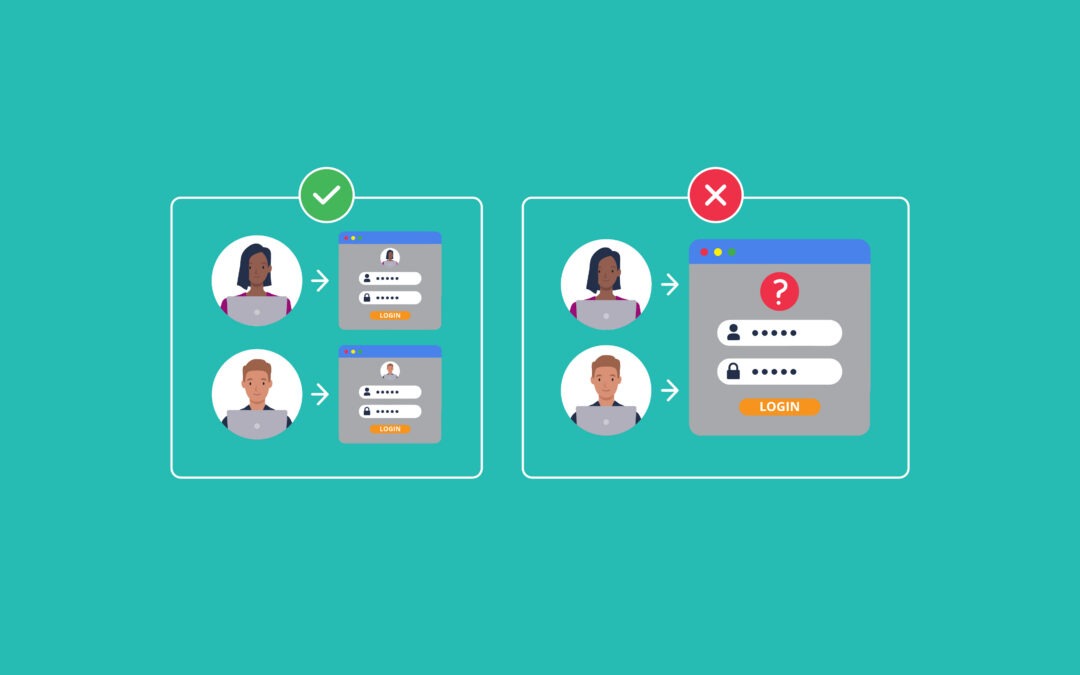
The simplest way to solve these challenges is for every person to have their own digital identity. Across education and many other sectors, organisations are moving towards a simple principle: one digital identity = one person.
Individual accounts give every user their own login, password and two-factor authentication. This makes it easier to manage access, understand who is using systems and remove access, for security purposes, when it’s no longer needed.
For schools, individual accounts provide greater visibility over who can access their digital environment. For IT providers, they support management of technicians across multiple schools without relying on shared credentials.
Individual accounts can help provide:
- Clearer accountability.
- Stronger protection against unauthorised access.
- Simpler system onboarding and offboarding.
- Easier auditing and compliance.
- Reduced password sharing.
- More accurate access management.
What this means for schools and IT providers
As part of our Identity and Access Management enhancement, access to N4L platforms is moving to individual MyN4L accounts protected by two-factor authentication.
Because two-factor authentication verifies the identity of an individual person, shared accounts will no longer be supported under the new access model. Going forward, everyone who needs access to N4L platforms will sign in using their own existing Google or Microsoft credentials so that they don’t have to remember an additional password.
This change supports a simpler, more protected way to access N4L services while giving schools greater confidence that only authorised individuals can access their systems.
Note: Moving to individual accounts doesn’t mean you need to retire functional email addresses like admin@ or principal@. These addresses can continue to be used for receiving and managing emails, but they should generally be configured as shared mailboxes, distribution lists or role-based access – not as shared login credentials. This gives your team the convenience of a shared inbox while ensuring every person signs in with their own identity, making access more secure and easier to manage.
Next steps
If your school or organisation currently uses shared logins, now is a good time to review who needs access to N4L platforms.
MyN4L administrators: Review who has access and confirm that each person who needs ongoing access has their own individual account. If not, create one for them.
IT providers: Review which technicians need ongoing access to N4L platforms and contact your schools or N4L partner with the details.
Disclaimer: AI-assisted content. Human-reviewed and edited.